
What actually needs to be on your homepage (and why most people get it wrong)
When I sit down with a new client for our first design chat, one question comes up almost every time: "What am I actually supposed to put on my homepage?"
And honestly? I get why it feels overwhelming. There's so much conflicting advice out there, and most of it makes it sound like your homepage needs to be a 10,000-word sales letter. It doesn't.
Your homepage has one job: convince the person looking at it that they're in the right place, and that you're the right person to help them.
That's it. Let's break down exactly how to make that happen.
1. Tell people what you do, who it's for, and where, fast
The biggest mistake I see? Pretty photos, vague taglines, and absolutely no clue what the business actually does.
Near the top of your homepage, you want to answer:
What you offer
Who you help
How you solve their problem
Where you're based (if location matters for your work)
What they should do next
Skip the fluffy lines like "helping you live your best life." If I land on your site and still don't know what you do after reading your headline, you've lost me.
Instead, get specific. Something like "Brand and web design for small businesses who want a site that actually works for them" tells me exactly what I'm getting and who it's for.
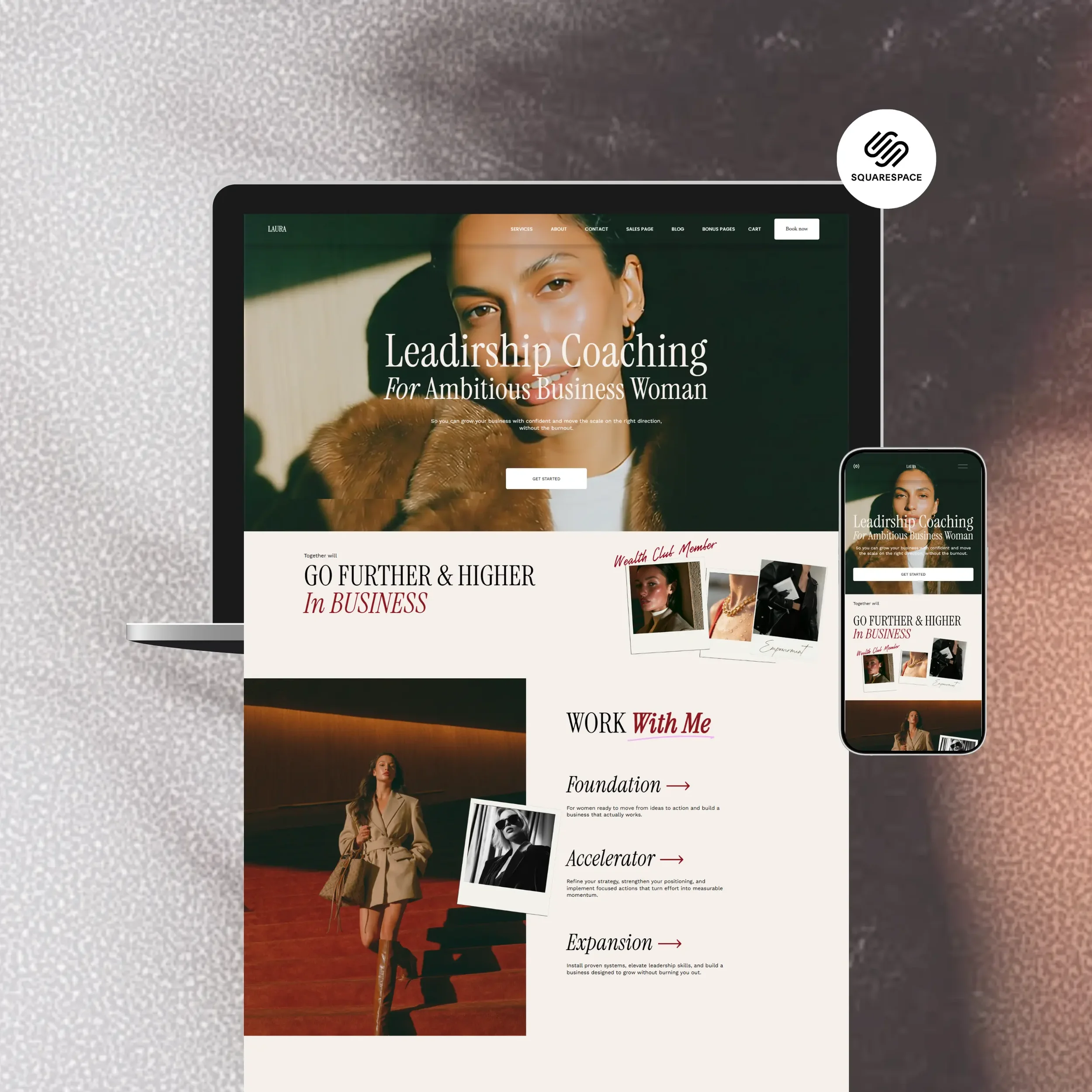
“A good one-liner has three parts. It starts with the problem or pain point someone experiences. Then, it describes a product. And it ends with a resolution that someone would experience because they’re using that product.”
2. Give a quick summary of how you help
Your headline gets people's attention, now back it up. A short paragraph or two that expands on your one-liner gives visitors a bit more context and starts building interest in clicking deeper into your site.
This section is also doing double duty for SEO. Google reads your homepage copy closely, so this is a good spot for the words and phrases you actually want to be found for.

Your words on the home page should concisely summarize your services and how you can help with your potential customers specific problem.
3. Point people toward the rest of your site
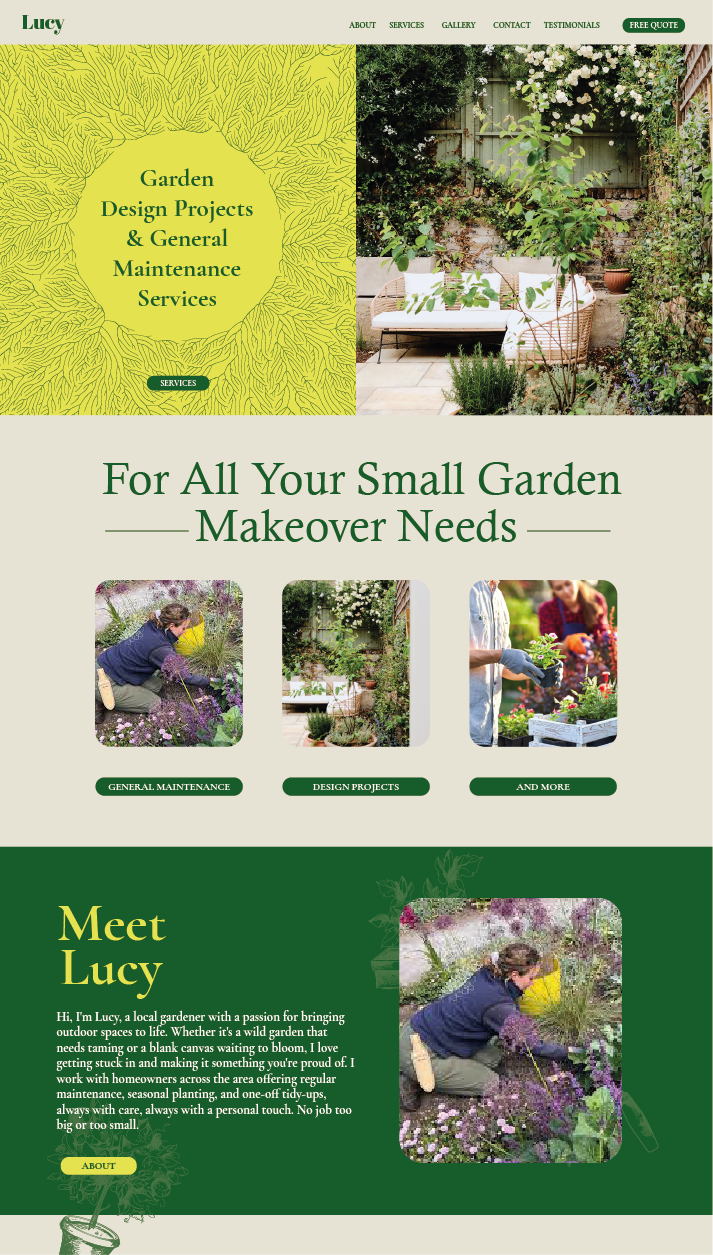
Once someone knows what you do, give them somewhere to go. This is your chance to create little "doorways" into the parts of your site that matter most, your services, your portfolio, your shop.
Think of it as helping people self-select. A potential client looking for branding work and one looking for web design shouldn't have to dig for the right page.
4. Build trust before they even reach out
People want proof before they commit. A few easy ways to build that on your homepage:
A couple of strong testimonials (pull out the best line and make it stand out)
Samples of your work or recent projects
Stats, years in business, projects completed, whatever feels honest and relevant
Logos of brands or publications you've worked with
You don't need all of these. Pick what feels true to your business and skip the rest.

Testimonials section
5. Show your face
People hire people. A short, warm introduction with a photo of you goes a long way toward making your business feel real and approachable, especially for solo businesses like mine.
A sentence or two about who you are and what you care about, with a link to your About page for anyone who wants the full story.
6. Give people a reason to stay connected
Not everyone who visits your site is ready to book right away, and that's okay. But you don't want to lose them either.
An email list is one of the best ways to stay in touch with people who are interested but not quite ready. Give them a reason to sign up: a free guide, a checklist, early access to something, whatever feels genuinely useful for the kind of person you want to work with.
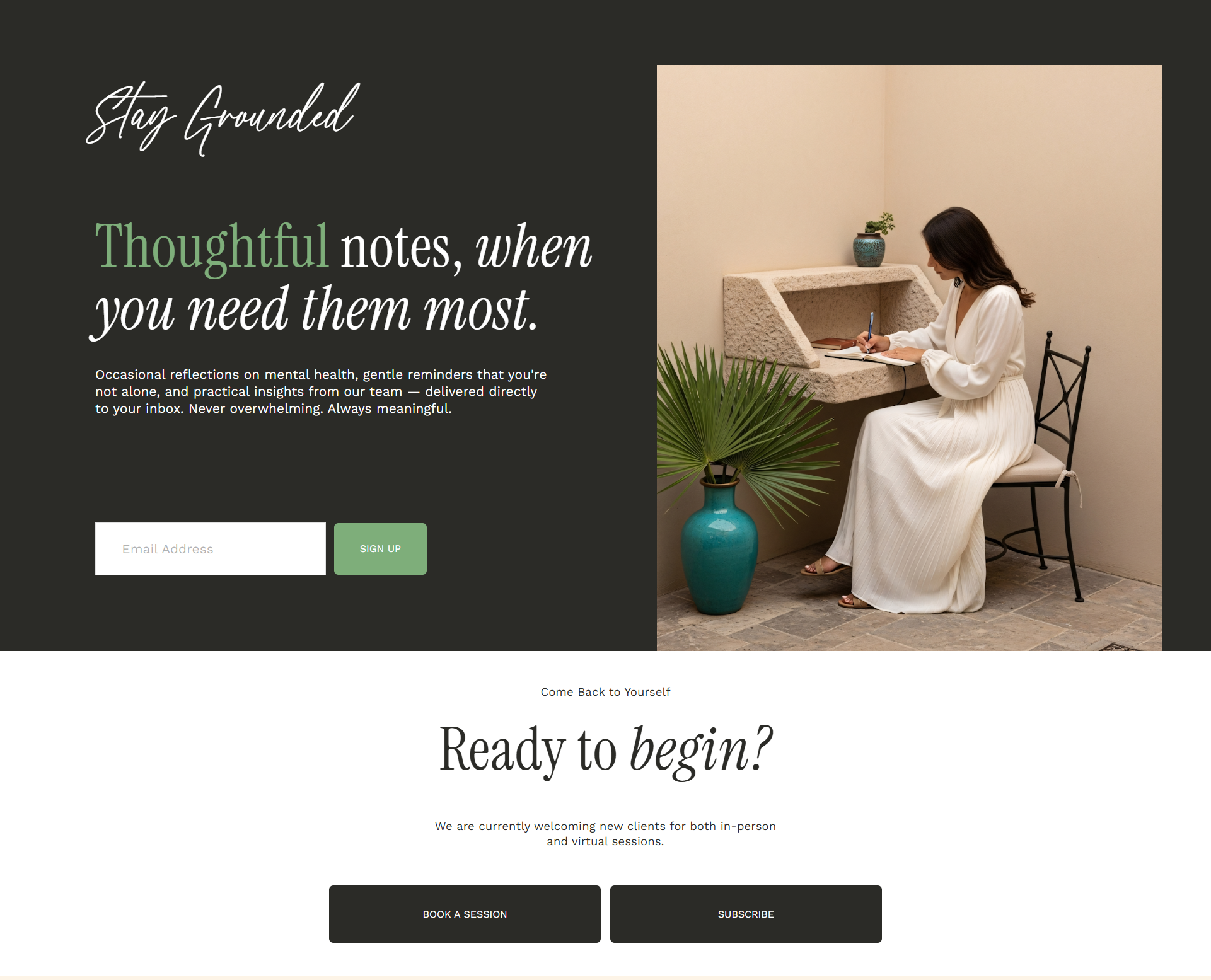
Newsletter signup/freebie section example
7. Make it obvious what to do next
This one gets missed constantly. After everything else on your homepage, what's the ONE thing you want someone to do?
Book a call? Send an enquiry? Browse your portfolio?
Whatever it is, make it the star. A clear button, repeated where it makes sense, in your nav, partway down the page, and again at the bottom, removes all the guesswork.

Call-to-action section in nav
Bringing it all together
A homepage that works doesn't need to be complicated. It needs to be clear, honest, and easy to navigate, answering the questions your visitors are actually asking, in an order that makes sense.
If you're working on your own homepage and want a second pair of eyes, that's exactly the kind of thing I love digging into. Get in touch and let's chat about it.